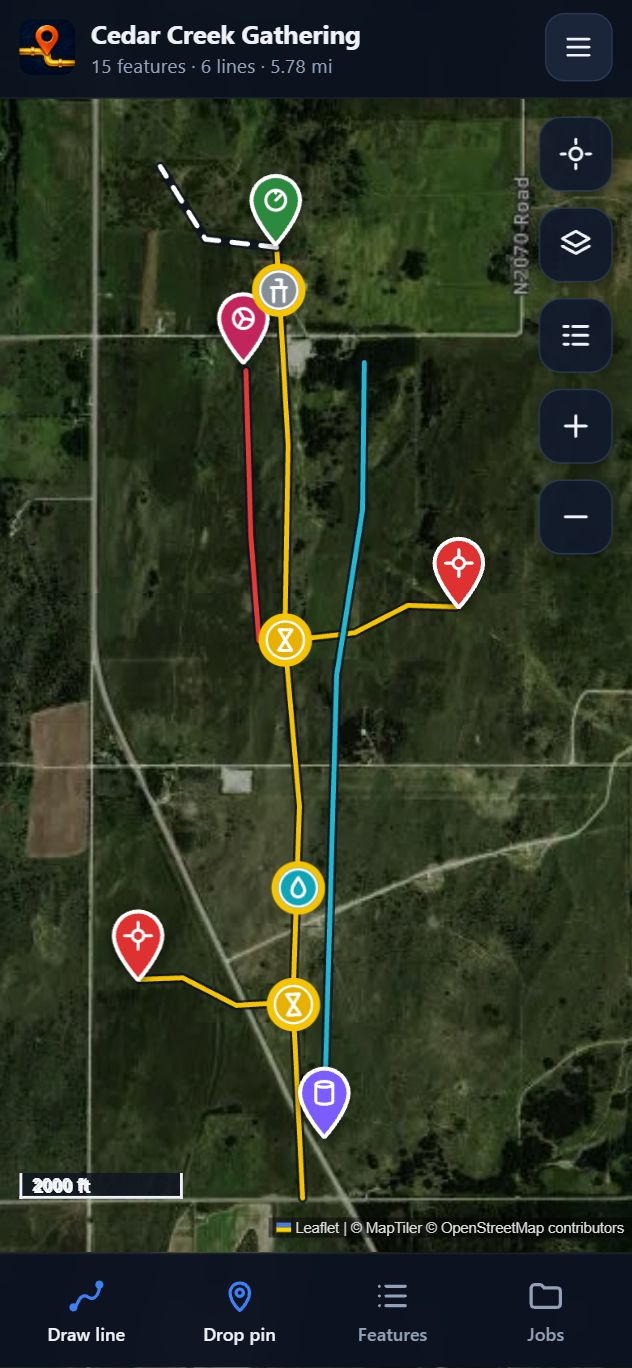
Walk a line to trace it, drop pins on valves, wells and tanks, and record size, pressure and depth on the spot. Your crew, your office and your clients all work from the same map.
How it works
No GIS training needed. If your crew can use a phone, they can map a line.
Create a job for a lease, gathering system or project, or open the company's KMZ, KML, GeoJSON, GPX, CSV or shapefile. Folders, colors and icons come through like Google Earth.
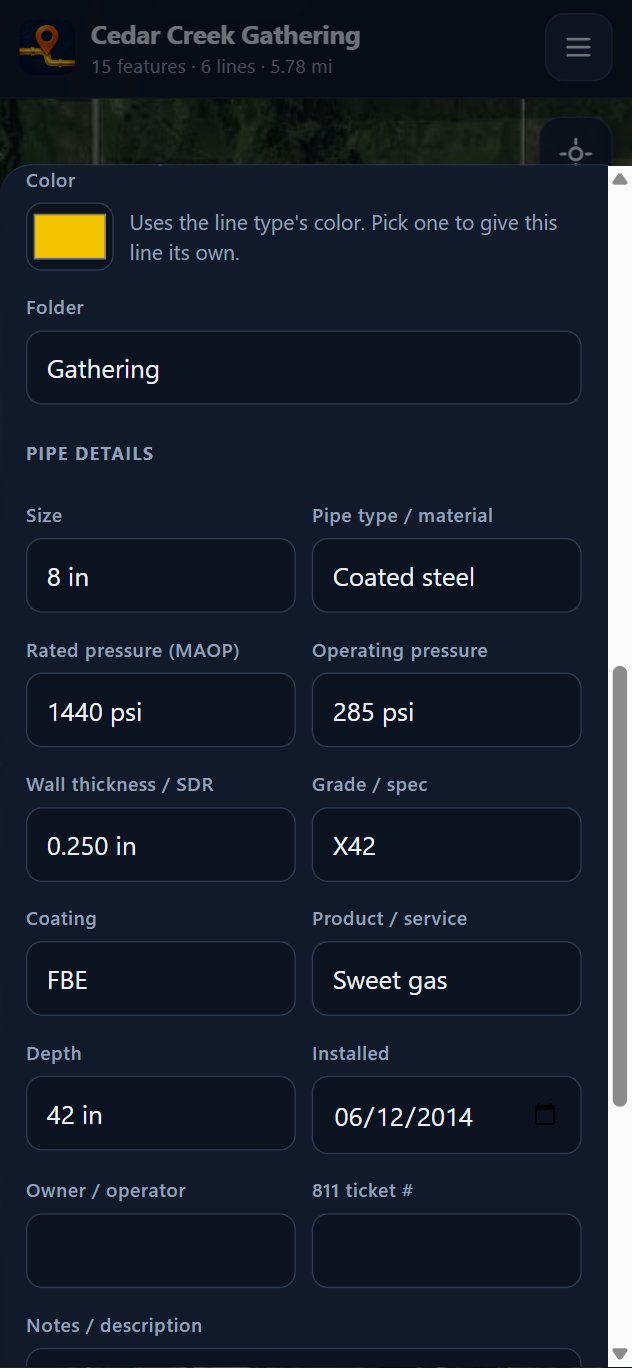
Walk the line with GPS or tap at each bend. Drop pins on block valves, drips, risers, meters and wells, and fill in size, material, MAOP, depth and install date while you're standing on it.
Everything syncs to one company map when you're back in coverage. Export a clean KMZ, GeoJSON, CSV or Excel file for the office, GIS or your client.
Features
Built from real time spent on leases and right-of-ways, around the problems crews actually run into.
Trace with GPS as you walk, or stand at each bend and tap. Wobble is straightened automatically, and a pro RTK receiver can be used for tighter accuracy.
Block valves, drips, risers, meters, wells, tanks, pumping units, compressors and panels, each with the fields that matter for it.
Size, pipe type, rated pressure (MAOP), operating pressure, wall, grade, coating, product, depth, owner and 811 ticket, kept with the line and in every export.
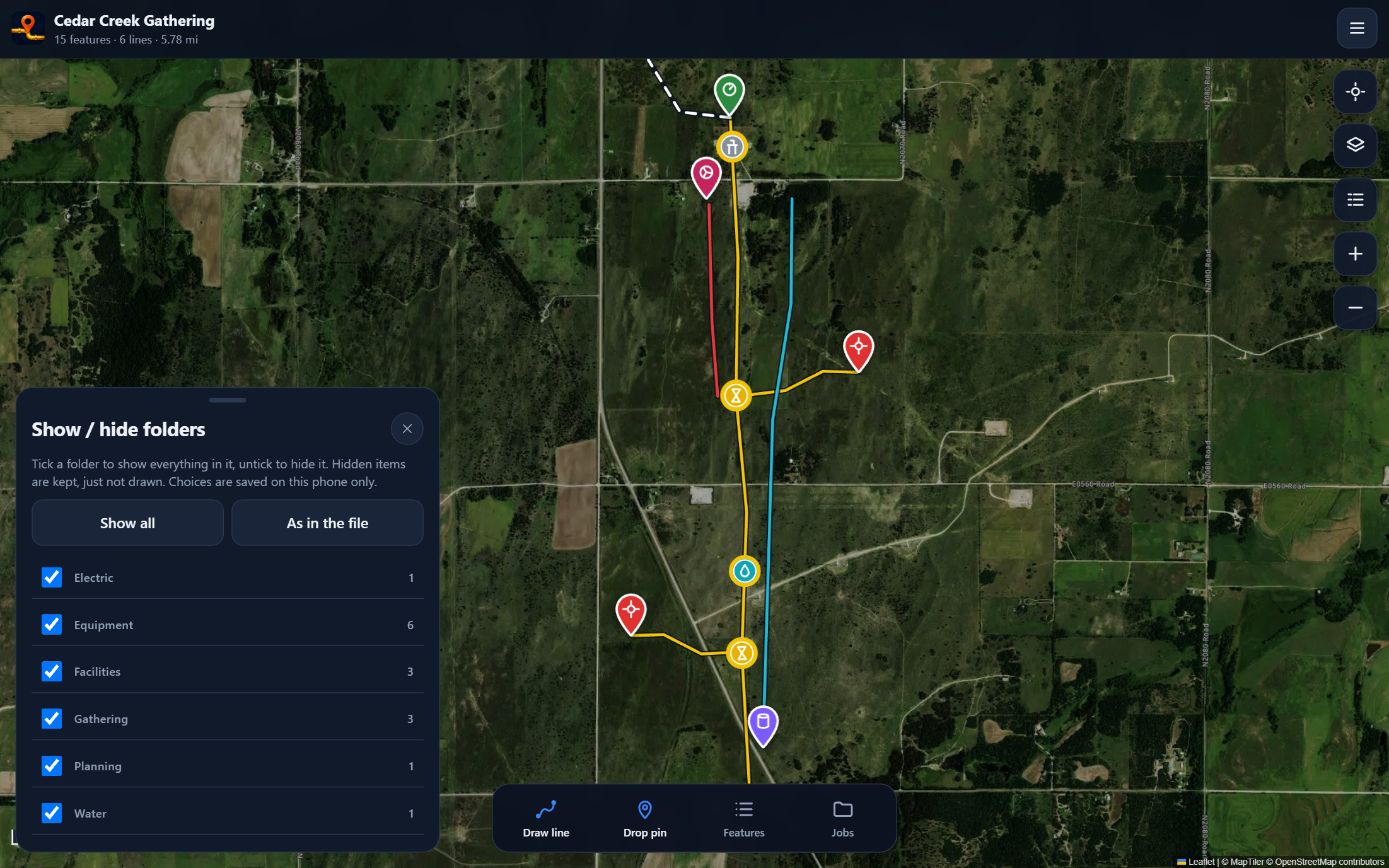
Big files from the office open fast. Turn folders on and off like Google Earth, and let cleanup find duplicates, unnamed items and lines that should be joined.
Jobs, lines and pins live on the phone and sync when you're back in coverage. Save the map for a site before you head out.
Admins approve who joins, lock finished jobs and see who changed what. Export everything at any time. Nothing is deleted if a plan ends.
Phone, computer, tablet
Open the same jobs on any computer in Chrome or Edge, or install it for its own window and desktop icon. Review the crew's work, clean up imported files and export for the people who need it.
For your whole operation
Big, simple buttons and offline maps. Crew members join with a company code and an admin approves them.
See every job in one place, who marked what and when, and lock finished jobs so records stay put.
Give clients view-only access to just the jobs you choose. They can view and export. Client seats are always free.
Pricing
Every plan starts with a free 7-day trial. No card needed to try it.
For one person
$20/mo
Up to 5 people
$199/mo
About $40 per person
6 to 10 people
$349/mo
About $35 per person
11 to 20 people
$599/mo
About $30 per person
More than 20 people, several divisions, or special requirements? We'll build a plan around your company.
If a plan ends, nothing is deleted. Jobs stay viewable and exportable.
Made to fit your company
Your line types and colors, the equipment and fields you track, your folder layout, and the files your office and GIS team need back.
Email support@grounddraft.app with what your crews map, what you track, and how you share it. We'll set it up with you.
KMZ, GIS export or spreadsheet giving you trouble? Send it to support@grounddraft.app with what you expected to see. We'll get it working.
Found a bug, or something slowing your crew down? Email support@grounddraft.app. Field feedback is how GroundDraft gets better.
FAQ
Phone GPS is usually within about 10 to 16 feet in open sky, and less accurate near buildings, trees or equipment. A professional RTK receiver can get within inches when it's set up correctly. Every point keeps its accuracy reading, so you always know how good a mark is. GroundDraft is a documentation tool: it does not locate or verify buried facilities, and you should always call 811 before digging.
Yes. Jobs, lines and pins are saved on the device and sync when you're back in coverage. Save the map for an area before you head out and the background imagery is there too.
Yes. GroundDraft opens KMZ, KML, GeoJSON, GPX, CSV and shapefiles, keeps their folders, colors, icons and names, and exports back to the same formats. If a file gives you trouble, email it to us and we'll get it working.
You and your company do. You can export every job at any time. We don't sell your data, and if a plan ends nothing is deleted: jobs stay viewable and exportable. See the Privacy Policy.
iPhone (App Store version coming soon), plus any computer, tablet or Android phone through app.grounddraft.app, which you can install for its own icon and window.
Every new account gets 7 days free, with no card needed to start. Plans are month to month, so you can cancel at any time. Clients you share jobs with never need a plan.
Try GroundDraft free for 7 days with your own crew and your own files.